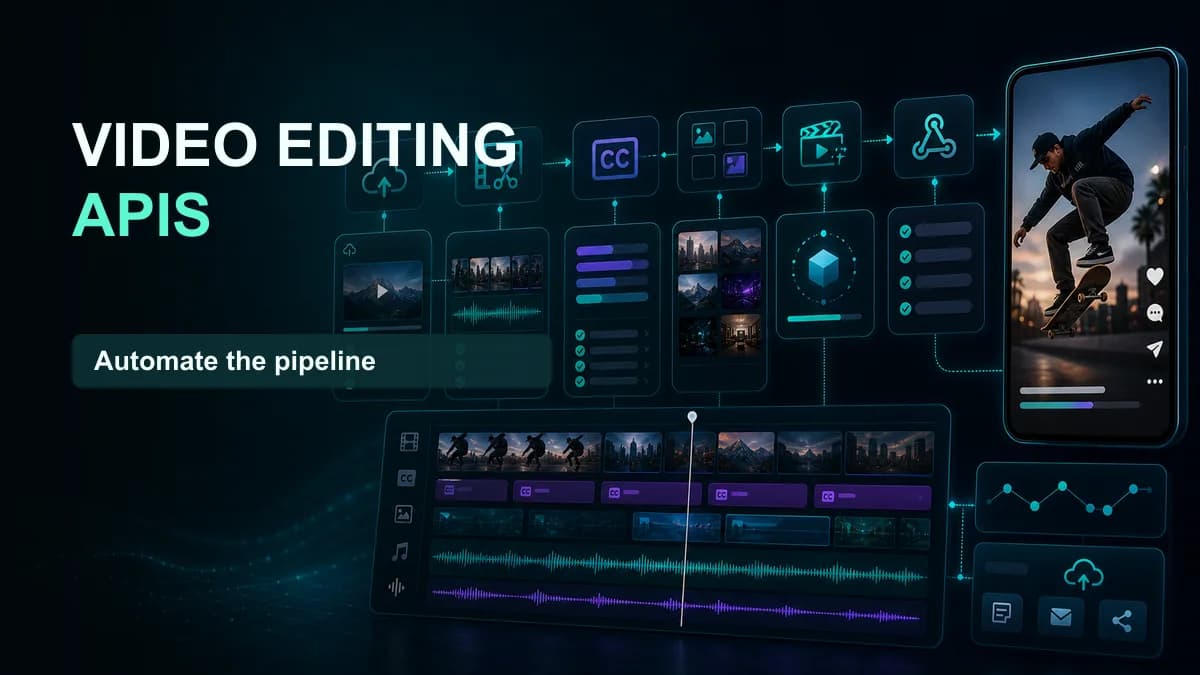













The best video editing API depends on the product job. Use Shotstack, Creatomate, JSON2Video, or a similar render API for data-driven templates; Cloudinary or managed FFmpeg-style processing for media transforms; Mux or api.video for video infrastructure and playback; and an editor SDK such as Banuba or a native/WebCodecs stack when users must edit interactively.
No single ranking can compare those categories fairly. The requirements matcher above estimates monthly output load and sends the project to the right architecture before vendor evaluation.
Video API categories at a glance
| Product job | API category | Representative shortlist | Critical requirement |
|---|---|---|---|
| Render personalized videos from data | Template/JSON render API | Shotstack, Creatomate, JSON2Video | Template control, queue time, webhooks |
| Trim, resize, transcode, concatenate | Media transformation API | Cloudinary, managed FFmpeg providers, custom workers | Codec coverage, speed, URL security |
| Embed a mobile or web editor | Editor SDK | Banuba, native AVFoundation/Media3, WebCodecs/FFmpeg stacks | Interactive preview and device performance |
| Generate captions and translated video | Subtitle/video API | Speech-to-text plus render, or end-to-end providers | Timestamps, styling, burn-in, review |
| Upload, stream, and play video | Video infrastructure API | Mux, api.video, Cloudflare Stream | Ingest, encoding, playback, analytics |
| Generate avatars or synthetic scenes | Generative video API | Provider-specific model APIs | Consent, consistency, latency, safety |
The shortlist is a starting point, not an endorsement. Confirm current documentation, pricing, regional availability, limits, security, and output quality with a proof of concept.
1. Shotstack: mature JSON-to-video rendering
Shotstack represents edits through structured JSON and renders them asynchronously. It fits automated marketing, personalized clips, social variants, slideshows, and template systems. Evaluate timeline expressiveness, template editing, asset fetch behavior, fonts, webhooks, render regions, and white-label editor options.
2. Creatomate: template automation and visual workflows
Creatomate focuses on reusable video and image templates controlled through an API and automation integrations. It is useful when non-engineers design a template and systems populate data at scale. Test versioning, responsive layouts, dynamic text, overflow, media replacement, preview, and the exact credit model.
3. JSON2Video: structured video generation
JSON2Video is another JSON-driven option for building compositions from scenes, media, text, audio, and automated inputs. Compare its schema, rendering throughput, caption support, supported effects, documentation, SDKs, and cost at the target resolution and duration.
4. Cloudinary: URL-based media transformation
Cloudinary is strong when video sits inside a wider media-delivery system and the primary needs are resize, crop, transcode, overlays, optimization, and CDN delivery. It is not the same product as a complete interactive editor. Test transformation readability, derived-asset cost, cache behavior, signed URLs, long-video support, and egress.
5. Mux or api.video: video infrastructure rather than an NLE
These platforms focus on ingest, processing, streaming, playback, and analytics. Choose them when the application needs reliable video infrastructure and only light transformations. A separate composition or editing service may still be required.
6. Banuba and editor SDKs: interactive editing inside an app
An editor SDK runs a responsive editing experience for the user, often with trimming, filters, AR, effects, music, and export. The key questions are device coverage, binary size, memory, preview latency, native integration, customization, licensing, and export behavior on mid-range phones.
Native AVFoundation on Apple platforms, Media3 on Android, WebCodecs in compatible browsers, and FFmpeg-based stacks provide more control but shift product, performance, and maintenance work to the engineering team.
7. Caption and subtitle pipelines
Speech-to-text APIs return words and timestamps. Styled subtitle APIs or render APIs continue through cue formatting, animation, burn-in, and output. Measure the entire chain. A cheap transcript can become expensive after line-breaking code, render infrastructure, retries, storage, and human correction.
Run a production-grade proof of concept
Representative input
Use the real aspect ratio, duration, codec, resolution, fonts, languages, media sources, and number of layers. Include long text, missing assets, slow URLs, corrupt media, and a job that should be canceled.
Performance
Measure queue time, render time, total completion time, p50, p95, output duration, and retries. A fast demo during low load does not establish production latency.
Output quality
Inspect resolution, frame rate, bitrate, keyframes, color, audio loudness, text sharpness, transition frames, caption sync, and playback on target devices. Keep the source and rendered file for side-by-side review.
Developer experience
Prototype authentication, signed URLs, template versioning, idempotency, webhooks, polling recovery, error details, cancellation, deletion, and local test fixtures. Count implementation time and operational work, not only API calls.
Cost model for video APIs
Price at successful output, not at the provider’s smallest unit. Include:
- Render minutes, credits, or compute.
- Resolution and frame-rate multipliers.
- Storage and delivery egress.
- Input fetches and derived assets.
- Failed and retried jobs.
- Preview renders and revisions.
- Human review and correction.
- Engineering, monitoring, and support.
Model current volume, 10× volume, and a failure-heavy month. The calculator’s output minutes make comparisons less misleading than videos-per-month alone.
Architecture requirements that prevent painful migrations
Create a provider-neutral internal edit model. Store original assets, accepted text, timing, template version, render parameters, and result metadata. Generate provider payloads at the boundary. This makes fallback, vendor comparison, and migration possible.
Use idempotency keys, verified webhooks, controlled retries, short-lived signed URLs, per-tenant quotas, deletion jobs, and structured logs. Keep a dead-letter path for work that needs review instead of retrying indefinitely.
Video editing API FAQ
What is the difference between a video editing API and a render API?
A render API turns a structured composition into an output file. A broader editing API may also transform existing media or support user-driven edit operations. An editor SDK provides an interactive interface and preview inside an application.
Is FFmpeg an API?
FFmpeg is a media toolkit and command-line/library stack, not a hosted API by itself. Teams can operate it in their own workers or use a managed provider that exposes FFmpeg-like operations through an API.
Which video API is cheapest?
The answer changes by workload. Compare successful-output cost at the required duration, resolution, concurrency, storage, and failure rate. Include engineering and review time.