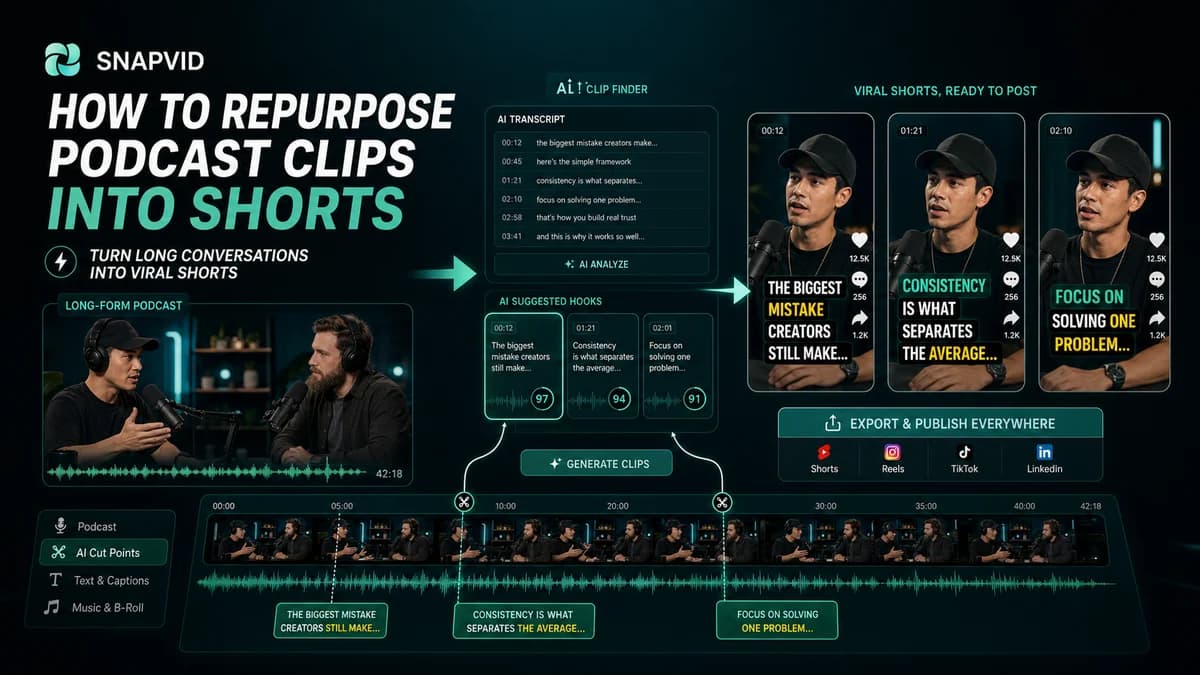













Podcast repurposing works best when you stop looking for “clips” and start looking for complete moments.
A complete moment has a clear setup, one useful idea, and a payoff the viewer can understand without hearing the entire episode.
Find moments with a clear promise
Look for parts of the conversation where someone explains a mistake, tells a compact story, gives a framework, or shares a surprising result.
Those moments are easier to caption and easier to package as short-form videos.
Rewrite the opening
The best podcast moment often starts slowly. For social, you may need to lead with the strongest sentence or add a short hook before the original clip begins.
The goal is not to misrepresent the conversation. It is to make the context obvious faster.
Add captions before visual polish
Captions reveal whether the clip is understandable. If the subtitle text feels confusing, the edit probably needs a tighter setup.
Clean captions first, then add zooms, cuts, b-roll, or other visual polish.
Build a repeatable export system
Choose target formats, caption style, and review steps before editing multiple clips. This reduces decision fatigue and keeps your output consistent.
SNAPVID helps by connecting captions and short-form editing into a workflow that can be repeated across episodes.
Measure the right thing
Do not judge the workflow only by one viral clip. Measure how many good shorts you can publish from each recording without burning out your editor or content team.
Pick moments with a built-in promise
A podcast clip works best when the viewer can understand the value before they know the guest, host, or full context. Look for sharp claims, useful frameworks, surprising stories, or clean objections.
Once the moment is selected, write the on-screen hook first. That line becomes the editorial filter for what stays in the short.
Package clips as a series
Do not treat every podcast moment as a separate creative project. Build a repeatable format with the same caption style, framing, intro rhythm, and export settings.
That consistency helps the audience recognize the series and helps the team publish more clips without rethinking the system each time.
Create a backlog system
After each episode, save promising timestamps with a short note about the hook. This gives the editing team a queue of clips that already have a reason to exist.
The more repeatable the backlog, the easier it becomes to turn one long recording into several platform-ready assets.
Final packaging pass
Give each clip a title, caption angle, and export destination before it leaves the edit. That tiny packaging step keeps the clip from becoming a finished file that nobody knows how to publish.