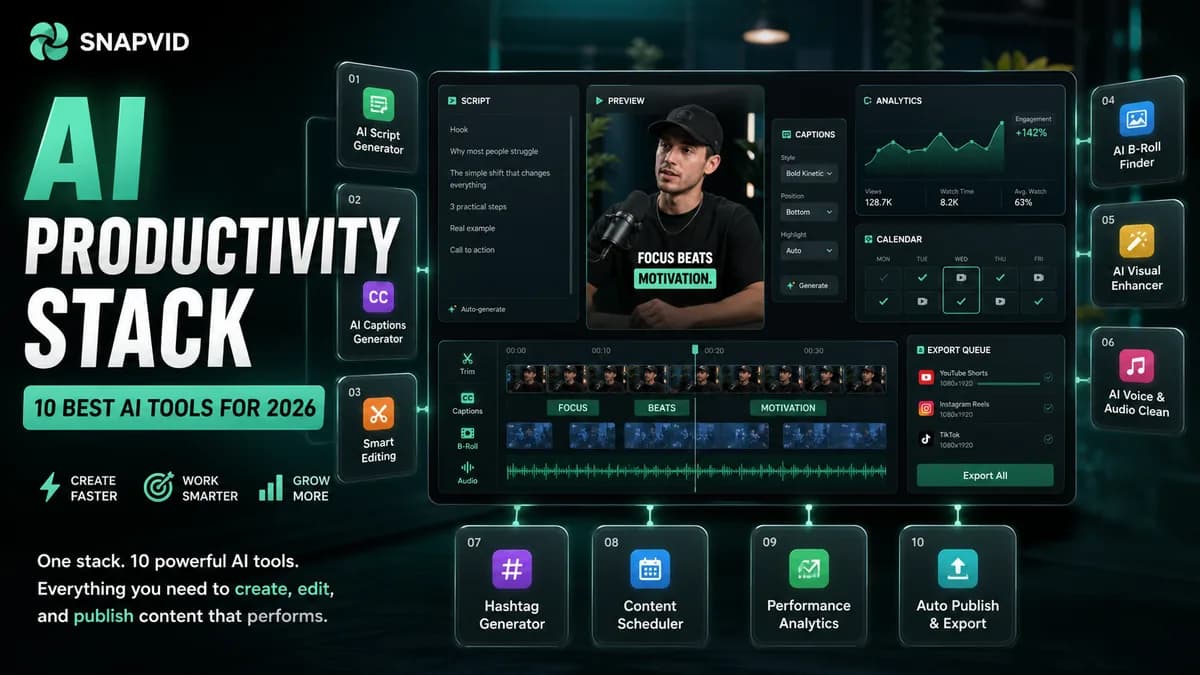













The best AI productivity tool is not always the one with the biggest feature list. For creators, agencies, and lean marketing teams, the winner is the tool that removes a real production bottleneck without creating a second review process.
Use this guide as a working shortlist. The goal is to choose a stack that helps you plan ideas, write faster, capture meetings, build assets, automate repetitive tasks, and turn the final output into short-form content with SNAPVID.
Quick answer
If you make a lot of content, start with a simple stack:
- Use Notion AI or Miro AI to organize ideas and campaign notes.
- Use Grammarly, Writesonic, or Humanize AI Text to clean drafts and match the tone.
- Use Otter, Krisp, or KrispCall to make calls, interviews, and meetings easier to reuse.
- Use Canva, Deevid AI, Movavi, or SlidesAI when the output needs visuals.
- Use Zapier, Motion, or Formester when the bottleneck is scheduling, forms, or app-to-app handoff.
- Use SNAPVID when those ideas, calls, scripts, or recordings need to become captioned short-form videos.
Pricing, feature names, and usage limits change often. Before committing, check the vendor page, test one real workflow, and compare the time saved against the review work the tool still leaves behind.
How to choose an AI productivity tool
Do not pick AI tools by category alone. A creator stack has to move through several jobs in sequence:
| Workflow layer | What the AI tool should remove | What to check before buying |
|---|---|---|
| Planning | Scattered ideas, vague briefs, messy research | Can the team find and reuse decisions later? |
| Writing | Blank-page friction, weak outlines, slow revisions | Does the final copy sound like your brand? |
| Meetings | Manual notes, lost action items, poor call quality | Can you turn transcripts into clips or briefs? |
| Visuals | Slow design setup, repetitive resizing, empty layouts | Are assets editable enough for your style? |
| Automation | Copy-paste work between tools | Is the workflow stable when volume grows? |
| Publishing | Captions, hooks, exports, platform copy | Can the final output be reviewed quickly on mobile? |
The best stack is not one magic app. It is a small production line where every tool has a clear job.
Comparison table
| Tool | Best for | Creator workflow fit |
|---|---|---|
| Notion AI | Docs, briefs, summaries, content planning | Build a reusable operating system for ideas and scripts |
| Deevid AI | AI video generation from prompts or assets | Turn rough concepts into visual drafts and examples |
| Undetectable AI | AI detection and text rewriting | Review AI-assisted copy before publishing |
| Movavi | Video editing and recording utilities | Create quick visual assets when you need timeline control |
| KrispCall | AI phone and sales communication | Capture customer conversations and call workflows |
| Grammarly | Writing clarity, tone, and editing | Polish captions, scripts, emails, and article drafts |
| Miro AI | Visual collaboration and brainstorming | Map campaigns, content pillars, and repurposing flows |
| Otter | Meeting transcription and summaries | Turn calls and interviews into reusable content notes |
| Motion | AI scheduling and task planning | Protect production time and reduce calendar chaos |
| Writesonic | Marketing copy and content drafts | Generate first-pass captions, ads, outlines, and emails |
| Zapier | Workflow automation | Connect intake, publishing, CRM, and notification steps |
| Formester | AI forms, quizzes, and lead capture | Collect campaign inputs without building forms manually |
| Krisp | Noise cancellation and call clarity | Improve interview audio before clipping or transcribing |
| Canva | Design and visual content | Create thumbnails, cards, slides, and social layouts |
| Humanize AI Text | Natural-sounding AI copy | Smooth robotic drafts before review |
| SlidesAI | AI presentation creation | Turn notes into decks and training material |
1. Notion AI
Notion AI is useful when the main productivity problem is scattered knowledge. It helps teams move from loose notes to organized briefs, summaries, task lists, and reusable documentation.
For content teams, the strongest use case is not just "write with AI." It is building a searchable hub for campaign angles, audience pain points, product notes, publishing calendars, and script outlines. A good Notion workspace lets one idea become a blog post, a video script, a caption set, and a short-form checklist.
Best uses:
- Summarize research and meeting notes.
- Draft outlines for blog posts, scripts, and launch plans.
- Turn a creator idea into tasks with owners and deadlines.
- Store approved hooks, CTAs, messaging, and customer language.
SNAPVID workflow: use Notion AI to collect the idea and write the first brief, then move the final angle into the Video Hook Generator or Video Script Generator before editing the short.
2. Deevid AI
Deevid AI belongs in the visual ideation layer. It can help when a team needs to see a concept before committing to a full edit, shoot, or campaign asset.
This type of tool is strongest for fast creative exploration: text-to-video drafts, image-to-video motion, visual styles, and campaign mockups. It is less useful if your main bottleneck is reviewing real footage, maintaining brand consistency, or preparing captions for actual short-form publishing.
Best uses:
- Mock up product or explainer visuals before production.
- Explore video directions for campaigns.
- Create rough motion examples from static assets.
- Give stakeholders a visual draft instead of a text-only idea.
SNAPVID workflow: use a generated concept as a storyboard reference, then use SNAPVID to edit real clips, captions, and platform-ready versions.
3. Undetectable AI
Undetectable AI is a review tool for AI-written text. It is most relevant when teams use generative writing tools but still need the copy to feel natural, readable, and appropriate for the audience.
For creators, the risk is not simply "AI text." The risk is bland copy that sounds overproduced, misses the creator's voice, or creates trust issues with the viewer. Use this type of tool as a quality-control step, not as a replacement for editorial judgment.
Best uses:
- Review AI-assisted drafts for tone and readability.
- Rewrite stiff product descriptions or captions.
- Check whether a draft feels too generic.
- Adapt text for different audiences without starting over.
SNAPVID workflow: clean the caption or script draft, then use SNAPVID to make sure the spoken video, subtitles, and CTA all sound like the same person.
4. Movavi
Movavi is a practical choice when someone needs a familiar video editor with recording and visual editing utilities. It can be useful for quick cuts, screen recordings, simple montages, and basic effects.
Its productivity value comes from reducing the learning curve. Not every team needs a professional editing suite for every asset. Sometimes the best tool is the one that lets a teammate produce a clean draft without blocking the main editor.
Best uses:
- Record tutorials, demos, or walkthroughs.
- Create quick montages from existing clips.
- Add light effects, music, or visual polish.
- Prepare source footage before it moves into a short-form workflow.
SNAPVID workflow: use Movavi when you need to capture or assemble raw material, then use SNAPVID to turn the strongest segment into a captioned social clip.
5. KrispCall
KrispCall is built around business communication. It is useful for teams that rely on calls, sales outreach, support conversations, or distributed customer communication.
The productivity benefit is centralization. If calls, notes, routing, and follow-ups live in different places, teams lose context. A phone workflow with AI support can make it easier to understand what happened and what should happen next.
Best uses:
- Manage customer calls across distributed teams.
- Route conversations more cleanly.
- Keep sales and support communication organized.
- Capture patterns from customer conversations.
SNAPVID workflow: use call insights to create customer-question videos, objection-handling shorts, or educational clips based on what prospects ask repeatedly.
6. Grammarly
Grammarly is one of the simplest productivity wins for teams that publish written content every day. It helps with grammar, clarity, tone, and readability across emails, posts, scripts, articles, and captions.
Its real value is consistency. A creator can have strong ideas but still lose attention through vague phrasing, long sentences, or unclear CTAs. Grammarly can tighten the language before the copy becomes a caption, voiceover, newsletter, or post.
Best uses:
- Polish short-form scripts and caption copy.
- Check tone before sending outreach or client messages.
- Reduce editing time on blog drafts and social posts.
- Keep team writing more consistent.
SNAPVID workflow: polish the script or post copy, then use SNAPVID to make the captions readable, timed, and matched to the visual pacing of the video.
7. Miro AI
Miro AI is strongest for collaborative thinking. It helps teams turn scattered ideas into boards, clusters, summaries, and action plans.
For content teams, this is useful before production. You can map a campaign, cluster hooks by audience segment, plan a content calendar, or build a repurposing map from one long-form source into many social clips.
Best uses:
- Brainstorm campaign angles.
- Map audience objections and content pillars.
- Convert workshop notes into next steps.
- Plan how a webinar, podcast, or launch becomes short-form assets.
SNAPVID workflow: build the campaign map in Miro, choose the strongest clips or angles, then create hooks and captioned videos in SNAPVID.
8. Otter
Otter is a strong fit for meeting-heavy teams. It captures transcripts, speaker notes, and summaries so that conversations can become assets instead of disappearing after the call.
The best creator use case is repurposing. A customer interview, expert call, podcast planning session, or founder conversation can become a quote bank, a blog outline, a list of short-form hooks, and a source for video clips.
Best uses:
- Transcribe interviews and meetings.
- Pull action items from calls.
- Capture customer language for marketing.
- Build a searchable source library from spoken content.
SNAPVID workflow: take the transcript highlights, write hooks from the best moments, then use SNAPVID to edit clips with captions and platform copy.
9. Motion
Motion helps with task and calendar planning. It is useful when the problem is not ideation but execution: too many priorities, shifting deadlines, and no protected editing time.
AI scheduling tools are valuable because creative production often fails at the calendar level. A team can have great ideas and still miss publishing targets because filming, review, editing, and approvals are never blocked properly.
Best uses:
- Prioritize daily work automatically.
- Protect time for recording, editing, and review.
- Replan when deadlines change.
- Keep recurring production tasks visible.
SNAPVID workflow: use Motion to protect the production block, then use SNAPVID during that block to turn raw footage into final shorts.
10. Writesonic
Writesonic is useful for teams that need many first drafts: blog outlines, landing page copy, ad angles, emails, captions, and social variations.
The productivity win is volume at the draft stage. It should not replace strategy, but it can help a team test more angles before choosing the one worth recording or editing.
Best uses:
- Generate caption variants for the same video.
- Draft launch emails and product blurbs.
- Create blog outlines from a keyword or idea.
- Rewrite one message for several platforms.
SNAPVID workflow: use Writesonic for draft angles, then use TikTok Caption Generator, Instagram Caption Generator, or LinkedIn Caption Generator to tighten platform-specific copy.
11. Zapier
Zapier is the productivity layer between tools. It connects apps and automates repetitive handoffs: form submissions, notifications, CRM updates, asset requests, publishing reminders, and reporting tasks.
For creator teams, the value is not automation for its own sake. The value is removing small repeated steps that slow down every video. A well-built automation can move a client request into a task board, notify the editor, create a folder, and update a status without anyone copying fields by hand.
Best uses:
- Connect forms, task tools, spreadsheets, and notifications.
- Trigger review workflows when assets are submitted.
- Update CRM or client records automatically.
- Standardize intake for recurring video requests.
SNAPVID workflow: use Zapier to collect source material and production context, then use SNAPVID to handle the video workflow itself.
12. Formester
Formester is useful when the bottleneck is structured intake. It helps teams create forms, quizzes, and lead capture flows faster.
This matters because most content work starts with missing information. A creator brief without audience, offer, tone, platform, deadline, and source assets creates avoidable back-and-forth. A good form turns vague requests into usable production inputs.
Best uses:
- Build creator or client intake forms.
- Collect campaign details before production.
- Create lead quizzes or application forms.
- Standardize information for editors and marketers.
SNAPVID workflow: use a form to capture the brief, then turn the answers into a hook, script, and captioned video workflow.
13. Krisp
Krisp is focused on noise cancellation and call clarity. It is a small tool, but for remote teams and interview-based creators, it can save a lot of cleanup time.
Better audio improves everything downstream. Transcripts become cleaner, editors spend less time fighting background noise, and viewers are more likely to stay with the clip.
Best uses:
- Improve calls in noisy environments.
- Record cleaner interviews and remote conversations.
- Reduce distractions during webinars or workshops.
- Make spoken content easier to transcribe.
SNAPVID workflow: use cleaner audio as source material, then generate readable captions and short-form edits in SNAPVID.
14. Canva
Canva is a strong visual productivity tool for teams that need design output without opening a complex design suite every time.
Its AI and template features can help with thumbnails, social graphics, presentation visuals, simple brand assets, and reusable layouts. The key is to avoid template sameness: use Canva to speed up production, then adjust the asset so it still feels like your brand.
Best uses:
- Create thumbnails and cover graphics.
- Resize visuals across platforms.
- Build simple presentation or carousel assets.
- Produce campaign graphics for non-designers.
SNAPVID workflow: create a thumbnail, background, or visual card in Canva, then use SNAPVID to pair it with captions, pacing, and final short-form output.
15. Humanize AI Text
Humanize AI Text is useful when generated copy needs to sound less mechanical. The point is not to trick readers. The point is to make rough AI drafts easier to read, more natural, and closer to the voice you actually want to publish.
This type of tool is best used late in the writing process. First decide the argument, proof, CTA, and audience. Then use rewriting tools to improve flow, warmth, and clarity.
Best uses:
- Smooth stiff AI-generated paragraphs.
- Rewrite captions so they sound more conversational.
- Adjust tone for creator-led content.
- Improve readability before final review.
SNAPVID workflow: humanize the script or CTA, then make sure the captions match the spoken delivery instead of feeling pasted on top of the video.
16. SlidesAI
SlidesAI helps turn text into presentation slides. It is useful for teams that need training decks, workshop material, sales explainers, or internal summaries without spending hours formatting.
For creators, decks are not only for meetings. A good deck can become a webinar, a carousel, a YouTube outline, or a set of short-form lessons.
Best uses:
- Turn notes into presentation drafts.
- Build training or client education material.
- Summarize research into slides.
- Create visual structure for a video script.
SNAPVID workflow: use the slide structure as a storyboard, record the explanation, then turn the strongest moments into captioned clips.
Where SNAPVID fits in the stack
Most productivity tools stop at planning, writing, or organizing. SNAPVID sits at the final-mile layer: the place where an idea becomes a short people can actually watch.
Use SNAPVID when you need to:
- Turn a script, call, or interview into short-form clips.
- Generate and style captions for mobile viewing.
- Create hooks and platform-specific caption copy.
- Keep pacing, subtitles, and CTA aligned.
- Build a repeatable publishing workflow for TikTok, Reels, Shorts, and LinkedIn.
That is the missing link in many AI stacks. A tool can help you think faster, but the content still has to become something publishable.
A practical AI productivity stack
If you are building a stack from scratch, keep it small:
- Capture ideas: Notion AI or Miro AI.
- Write drafts: Writesonic plus Grammarly.
- Capture spoken content: Otter plus Krisp.
- Build visuals: Canva or Deevid AI.
- Automate handoffs: Zapier or Formester.
- Schedule production: Motion.
- Create the final video: SNAPVID.
Start with one workflow, not every tool. For example: record a customer interview, transcribe it, pull five hooks, create two short scripts, edit one clip, publish it, then reuse the system next week.
SNAPVID checklist before you publish
Before a productivity tool earns a permanent place in your stack, run this test:
- Does it remove a real task or just create another dashboard?
- Can one teammate use the output without asking for context?
- Does it make the content faster to review?
- Does it help the final video, caption, thumbnail, or CTA?
- Can the same workflow be repeated across multiple clips?
- Does it still work when you have a deadline?
If the answer is no, keep the tool out of the core stack.
Related SNAPVID resources
- Video Hook Generator
- Video Script Generator
- AI Video Idea Generator
- TikTok Caption Generator
- Instagram Caption Generator
- LinkedIn Caption Generator
- Best AI Video Editing Software
- Best AI Video Editors
- AI Tools for Video Editing
FAQ
What is the best AI productivity tool for creators?
The best choice depends on the bottleneck. If you need ideas, use a planning tool. If you need drafts, use a writing tool. If you need publishable short-form video, use SNAPVID for hooks, captions, editing, and platform-ready output.
Should I use all 16 tools?
No. A productive stack is usually smaller than a research list. Pick one tool for planning, one for writing, one for meeting capture, one for automation, and one for final video production.
How do I compare AI productivity tools fairly?
Run the same real task through each tool. Measure setup time, review time, quality of the output, handoff clarity, and whether the workflow can repeat next week.
Do AI tools replace editors or content strategists?
No. They remove repetitive work and speed up drafts, but people still decide the strategy, story, brand voice, pacing, and final approval.
Where does SNAPVID belong in an AI productivity workflow?
SNAPVID belongs after the idea is ready and before the content is published. It helps turn scripts, transcripts, clips, and raw footage into captioned short-form videos.
What should I check before paying for any tool?
Check current pricing, export limits, collaboration features, privacy requirements, support, and whether the tool improves the workflow you actually run every week.